About Us
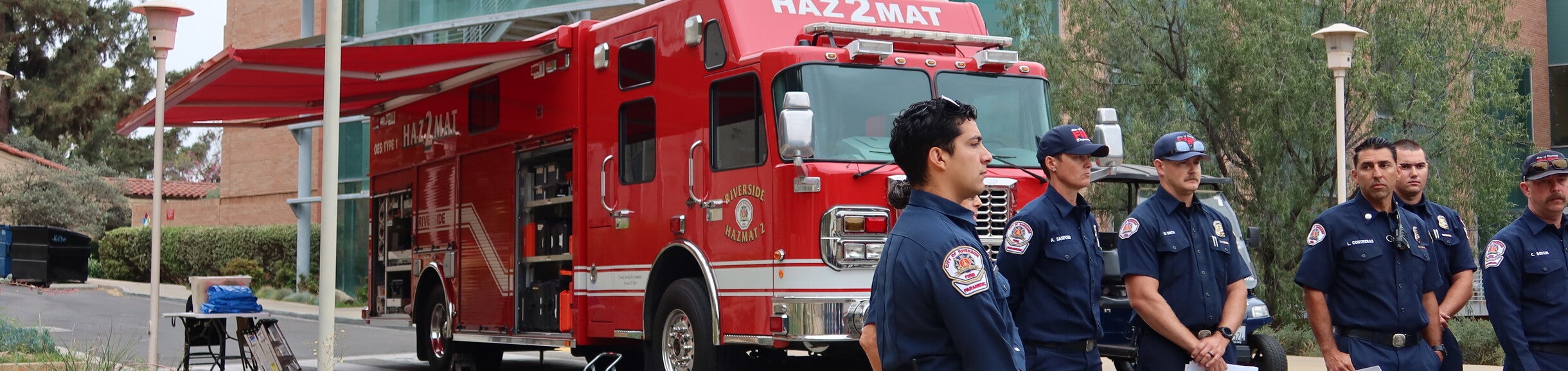
The UC Riverside Office of Emergency Management takes a proactive, all-hazards approach to prevent, mitigate, prepare for, respond to, and recover from disasters and disruptions. By coordinating campus-wide planning and safety resources, the office safeguards students, faculty, and staff to maintain a safe, resilient environment for living, learning, and working.
UCR CERT PROGRAM IS COMING
We are excited to introduce a new initiative to strengthen our campus resilience and emergency preparedness: the University of California, Riverside Community Emergency Response Team (CERT) program.
What is UCR CERT?
The CERT program is a nationally recognized initiative, adapted for UCR, that trains volunteers from our campus community—students, faculty, and staff—in basic disaster response skills. CERT is about empowering individuals to make a difference. In an emergency, first responders may be delayed, and CERT-trained volunteers can provide immediate, critical support until professional help arrives.
This program is 100% voluntary and offers essential training in:
- Disaster Preparedness: Assessing hazards and preparing yourself and your workspace.
- Fire Safety: Basic fire suppression and utility controls.
- Disaster Medical Operations: Triage, treating life-threatening injuries, and basic first aid.
- Light Search and Rescue: Safe search techniques and victim removal.
- Team Organization: Coordinating with other CERT members and professional responders.
Why UCR Needs CERT
The safety of our campus is a collective responsibility. By participating in CERT, you are not only gaining valuable lifesaving skills for yourself and your family but are also becoming a crucial asset to the entire UCR community. UCR CERT volunteers will form a trained network capable of assisting in campus emergencies, large or small.
Join Us!
We are currently building our inaugural CERT interest list. If you are interested in learning more, attending an information session, or signing up for the training, please join our interest list.
https://docs.google.com/forms/d/e/1FAIpQLSf3Yh9K0iq0diNiI6DwOIlv2sYABsREzurzXQeoI0XrIVbo1A/viewform
This is an opportunity to learn vital skills, meet fellow dedicated campus members, and contribute directly to making UCR a safer, more resilient place for everyone. No prior experience is necessary.
Together, we can create a safer UCR.
Mission
Prevent, protect against, mitigate, respond to, and recover from disasters or emergencies that affect UCR's ability to maintain a safe, secure living, learning, and working environment.
Vision
Fostering collaborative actions and appropriate decisions creates a proactive, all-hazard culture of preparedness for a resilient campus.
Values
- Collaborative - Sustain sincere relationships among individuals and organizations to encourage trust and a team atmosphere that facilitates communication.
- Comprehensive - Consider all hazards, phases, stakeholders, and impacts relevant to disasters or human-made events;
- Coordinated - Synchronize the activities of all relevant stakeholders to achieve a common purpose;
- Flexible - Use creative and innovative approaches in solving disaster challenges;
- Integrated - Foster the unity of effort among all levels of the campus and local community partners;
- Risk-Driven - Introduce sound risk management principles (hazard vulnerability, risk and impact analysis) in assigning priorities and resources;
- Professional - Utilize a knowledge-based approach with training, ethical practice, public stewardship, and constructive improvement.
Emergency Notification System (ENS)
The Emergency Notification System (ENS) is used to notify the campus about an emergency or dangerous situation involving an immediate threat to the health and safety of the university community. The ENS comprises several approaches to quickly and reliably distribute communications or instructions in an emergency.
UCR's ENS effectively keeps all Highlanders safe and informed, ensuring a safe campus environment. UCR Faculty, Staff, and Students should update their mobile phone number(s) on file. Faculty and Staff can learn how to update in UC Path ticket, and students can update information in Banner; please see the FAQs on verifying your mobile phone number(s).
Subscribe to Emergency Notifications: Visitors text UCRSAFE to 226787. Parents text UCRPARENT to 67283 *SMS and data messaging rates may apply.
Emergency Notification
- When a verified dangerous situation exists on campus that could impact the immediate health or safety of our campus community (e.g., a dangerous person, fires, chemical release or other event requiring immediate action), or
- When the UCR administration has determined that immediate notification would assist in locating an offender or
- When urgent conditions affect the status of the campus (e.g., earthquake, weather, wildfire, etc.)
Once initiated, the Emergency Notification System includes several tools that could be used to disseminate critical information or instructions, which may include text/SMS messaging, verbal broadcasts from the campus belltower, messaging displayed on University computer screens, email, voicemail to campus phones, UCR websites, and Official UCR social media sites. When you receive or see an emergency message, it is essential that you follow instructions and tell others around you.
Installing Alertus
Alertus is a mass notification system used at UC Riverside to notify students, staff, faculty, and visitors of campus emergencies. Alertus Desktop is a small application installed on desktops, laptops, and monitors throughout campus. It displays an emergency notification directly to the computer's display. Information Technology Solutions recommends that everyone with a UCR-issued computer install the Alertus Desktop application. Having the Alertus Desktop application installed on your desktop is an effective way to receive critical information and instructions during an emergency, when seconds and minutes matter.
Monthly Alertus Test
The campus conducts an Alertus Bell Tower Speaker Test on the First Friday of the month at 12:00 PM (Noon). During this time, you will hear multiple tones periodically from the Bell Tower. A loud, steady siren will sound, varying in intensity and type, and verbal instructions will be heard. UC Riverside is committed to providing a safe and secure environment for all campus stakeholders. An important aspect of this commitment is ongoing testing and refinement of the various communications technologies, systems, and processes used during emergencies.
UCR Safe
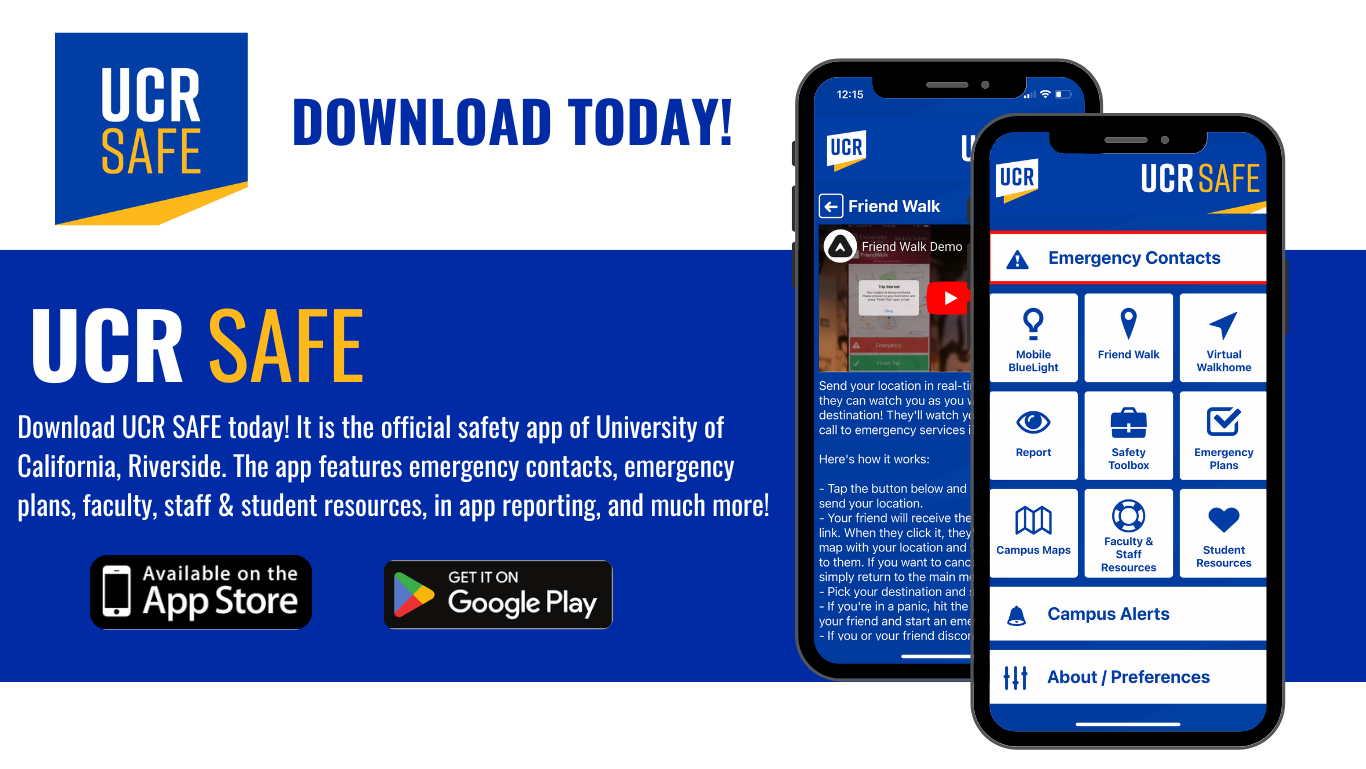
Now available for Download:
UCR Safe is our Highlander Community's one-stop for safety resources, connecting faculty, staff, and students with on-campus resources, real-time safety services, emergency information, and more. Ensure you’re prepared in the event of an emergency. Download UCR Safe today!
FAQ'S
-
1. How do I sign up to receive UCR emergency alerts?
All active UCR students, faculty, and staff are automatically enrolled in the Emergency
Notification System (ENS) using their official UCR email addresses. To receive critical
text messages and phone notifications:- Students: Ensure your mobile phone number is up to date in Banner.
- Faculty & Staff: Update your personal contact information in UCPath.
- Visitors & Parents: Visitors can text UCRSAFE to 226787, and parents can text
UCRPARENT to 67283 to opt in to mobile alerts.
-
2. What is the UCR Safe mobile app, and how do I download it?
UCR Safe is the official safety app of UC Riverside. It provides immediate access to
campus safety resources, safety toolkits, emergency contacts, and real-time push
notifications during active incidents. You can download UCR Safe for free from the
Apple App Store or Google Play Store. -
3. What numbers should I call in an emergency or non-emergency situation on campus?
- Life-Threatening Emergency: Call 911 (or dial 911 / press the emergency
button on any campus blue-light phone or elevator box). - UCPD (Non-Emergency / Suspicious Activity): Call UC Riverside Police &
Campus Safety at (951) 827-5222 (or extension 2-5222 from a campus phone). - Facilities / Maintenance Emergencies: Call Facilities Services at (951) 827-
4214 during business hours, or (951) 827-4677 after hours.
- Life-Threatening Emergency: Call 911 (or dial 911 / press the emergency
-
4. What is Alertus, and why is the Bell Tower sounding a siren?
- Alertus Desktop: An emergency notification tool installed on university-issued
computers that displays full-screen emergency alerts and instructions during
campus crises. - Bell Tower Tests: On the first Friday of every month at 12:00 PM (Noon),
UCR tests the Alertus outdoor warning system. You will hear siren tones and verbal test messages from the Bell Tower. In a real emergency, this system
directs community members to seek shelter or check official channels.
- Alertus Desktop: An emergency notification tool installed on university-issued
-
5. What should I do if a building emergency evacuation is ordered?
1. Immediately leave the building using the nearest safe exit or stairwell (do not use
elevators).
2. Assist anyone who requires assistance if safe to do so.
3. Proceed to your designated Emergency Assembly Area (EAA) as identified on
your building's evacuation map.
4. Remain at the EAA until emergency responders or your Building Safety
Coordinator (BSEC) give the official & "all clear" -
6. Where can I find specialized emergency guidance for my building or department?
Every campus facility maintains a Building Emergency Plan (BEP) managed by
Building Safety Emergency Coordinators (BSEC) and Building Emergency Staff (BES).You can access digital emergency flip charts, evacuation routes, and classroom guidance on the UCR Emergency Management Procedures Webpage -
7. What should I do during an earthquake on campus?
- Drop, Cover, and Hold On: Drop to your hands and knees, take cover under a
sturdy desk or table, and hold on until the shaking stops. - If Outdoors: Move away from buildings, trees, streetlights, and power lines, then
drop and cover. - After Shaking Stops: Evacuate the building if instructed or if structural damage
is visible, taking personal essentials (keys, phone, wallet) with you. Proceed to
your building’s Emergency Assembly Area (EAA).
- Drop, Cover, and Hold On: Drop to your hands and knees, take cover under a
-
8. What is the difference between "Shelter-in-Place" & "Secure-in- Place"?
- Shelter-in-Place: Required for environmental or hazardous chemical releases,
severe weather, or external air contamination. Move indoors, close
windows/doors, shut off ventilation systems if directed, and await instructions. - Secure-in-Place: Required during active violence or police activity. Lock and
barricade doors, turn off lights, silences cell phones, stay out of sight, and
prepare to act using Run / Hide / Fight principles.
- Shelter-in-Place: Required for environmental or hazardous chemical releases,
-
9. How does UCR support individuals with access or functional needs during an emergency?
UCR encourages students, faculty, and staff who require assistance during an
evacuation to create an Individualized Emergency Evacuation Plan (IEEP). If you cannot use stairs during a building evacuation, proceed to a designated Area of
Rescue Assistance (usually an enclosed stairwell landing) and inform UCPD or
emergency responders of your location. -
10. Where can I find official campus status updates during an ongoing emergency?
During a active incident or campus emergency, official updates are regularly posted to:
- UCR Campus Status Webpage: emergency.ucr.edu
- UCR Official Twitter/X: @UCRiverside
- UCR Emergency Alerts: Sent directly via SMS, email, and the UCR Safe app
- 11. For Employee's: How can I update my phone number so I can receive emergency texts?